It Started With a Problem: Five Projects That Didn’t Begin With a Catalog
Most kiosk projects don’t really start with a kiosk. They start with a problem: a deadline that can’t move, a design that works on paper but not in the field, a rollout that can’t get in the way of the people it’s meant to serve.
Here are three custom kiosk case studies that started that way, and what happened when we began with the problem instead of the product. We keep the customers’ names confidential, but the problems will probably sound familiar.
1. Four weeks to win a contract
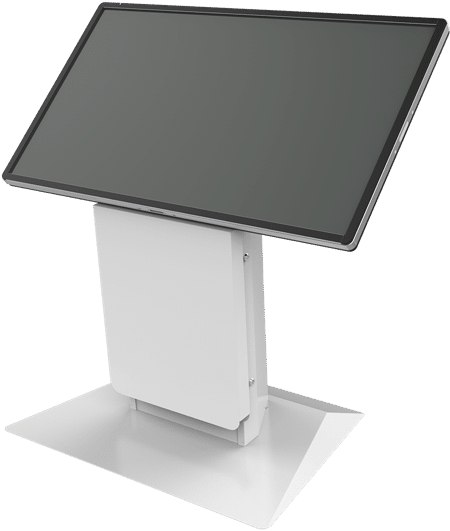
The problem. An identity technology company was bidding on a government contract against an incumbent. The response window was short, and the company needed more than a rendering. It needed a working, custom kiosk to put in front of the agency.
What we did. We designed, engineered and built a custom prototype in four weeks, in time for the company’s presentation.
What happened. The company won the contract. Together we deployed hundreds of kiosks to agency offices across the country. When the contract came up for rebid, it was renewed, and we deployed hundreds more, more than 1,000 kiosks across two contract cycles.
Why it mattered. In a competitive bid, the incumbent has an advantage: the buyer has already seen its product working. A working prototype helps close that gap. Evaluators could see, touch and test the kiosk instead of picturing it from a drawing or a spec sheet.
If you’re planning something similar, ask yourself:
Is there a bid, a board presentation or a pilot decision coming up where a working unit would make your case better than a rendering?
Can your hardware partner build a custom prototype on a tight timeline, or just offer something from their current catalogue of kiosks?
Will the prototype carry forward into production, so the time you spend now isn’t thrown away?
2. A prototype that worked, but couldn’t scale
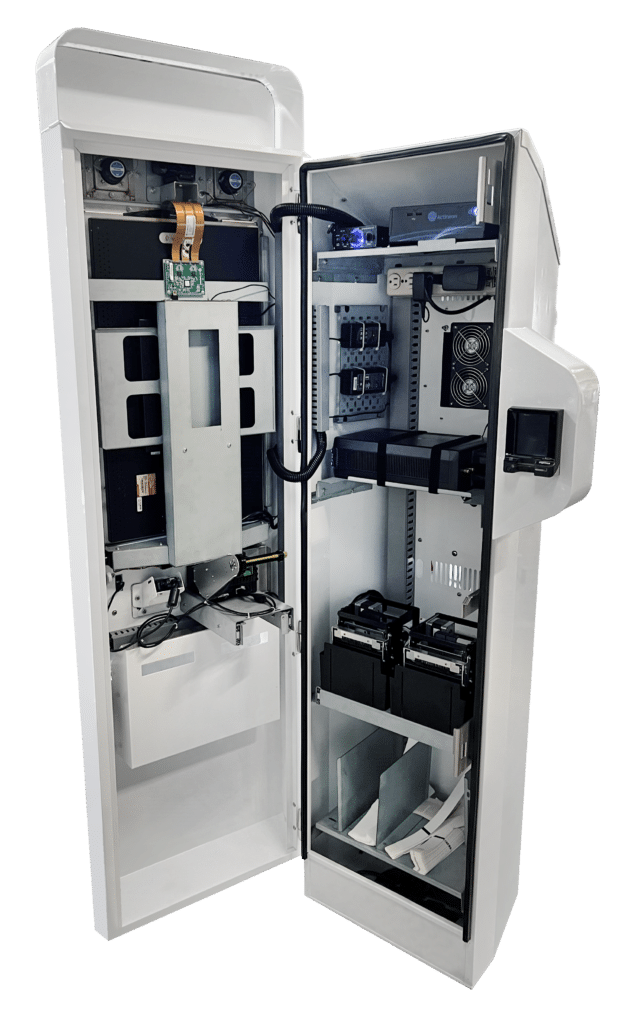
The problem. A biometric technology company had a facial-recognition access kiosk built by a small shop. It worked as a concept, but it wasn’t designed for large-scale manufacturing or daily use in the field. The kiosks would sit outdoors at entrances, so they needed weather protection, temperature control and battery power. They handled biometric data, so they needed stronger physical security than a standard kiosk. And the deadline was fixed: every venue had to be live by a certain date.
What we did. We re-engineered the design from the ground up for scale and serviceability. The result is one of the most complex kiosks we’ve built: about 20 devices fit into a unit two feet wide. It runs on battery, regulates its own temperature, rolls between entrances and storage, and opens only for authorized service technicians. Nearly every component can be swapped in 15 to 30 minutes. The customer supplied the software, and we made sure the hardware was ready for it.
A few details show how much goes into a kiosk like this. It has roughly 200 metal parts, more than three times the complexity of a standard kiosk. The lock records the identity of anyone who opens it, in real time. And every device inside every kiosk is tracked by serial number and delivery location, so the customer always knows what’s installed where.
What happened. We built, shipped and installed 145 kiosks across dozens of locations in a 30-day window. Every site was live on time. The redesign is saving the program roughly a quarter of a million dollars a year, and the savings grow as it expands.
Why it mattered. A prototype proves an idea. A production design has to be built the same way hundreds of times, hold up to weather and crowds, and be fixed quickly by a technician while a line of people waits. Those are different jobs, and it’s common for a design that does one well to struggle with the others.
If you’re planning something similar, ask yourself:
• Was your current design built to prove the idea, or to be manufactured, shipped and serviced at scale?
• How long does it take a technician to replace a part, and what happens to the line while they do?
• If the kiosk handles sensitive data, who can open it, and how would you know?
• Could you say today which device is installed in which kiosk, at which location?
3. A second generation built on four years of real use
The problem. A large health system, with hundreds of facilities, needed patient check-in kiosks built around its own clinical workflows. They had to hold up to hospital cleaning and constant foot traffic, go beyond minimum accessibility requirements, and be easy for on-site staff to service, across a very large system.
What we did. We designed a kiosk specifically for the health system and deployed it system-wide. Four years later, we built a second generation using what we’d learned from real patient use. It wasn’t a cosmetic refresh. Many of the changes were small details aimed at the people who keep the kiosks running:
• Flush-mounted locks, with nothing sticking out to catch or break
• A custom maintenance screw, with the one tool it needs stored inside the cabinet, so technicians never have to carry special tools
• A slide-out printer shelf on drawer rails for quick paper changes
• Tool-free fasteners, so the printer can be removed faster
• A stainless steel base plate that stands up to hospital cleaning chemicals and daily foot traffic
What happened. Well over a thousand kiosks are now in use across two generations. Printed wayfinding helps patients find their way around large campuses, so staff step in less often. As more patients checked themselves in, the health system was able to move staff to other work.
Why it mattered. Small service details add up. A minute saved on every paper change, multiplied across hundreds of kiosks and several years, is real time and money. And the most useful improvements came from how patients actually used the kiosks, not from guesses made before the first one was built.
If you’re planning something similar, ask yourself:
• How long does a routine task, like a paper change or a printer swap, take today, and how often does it happen across your whole fleet?
• What have your current kiosks taught you that the next generation should fix?
• Will the materials hold up to your cleaning routine and your traffic?
• Beyond a confirmation, what could the kiosk give people that saves your staff a question, such as directions or next steps?

What these projects have in common
None of them started with “which model do you want?” Each of these custom kiosk case studies started with a specific problem, and the hardware was designed around it:
• Speed when it counted. A working prototype in weeks, not a rendering.
• Built around someone else’s software. While we don’t write the software, we work with you as it’s being built and we make sure the hardware is ready for it.
• Built from real use. Each generation improves based on how people actually use the kiosks and how technicians service them, not on guesses made before the first one was built.
What’s the problem you’re trying to solve?
Whether it’s a new idea or an existing kiosk program that needs to do more, tell us about it. Touch base with us today to schedule a conversation about your project.