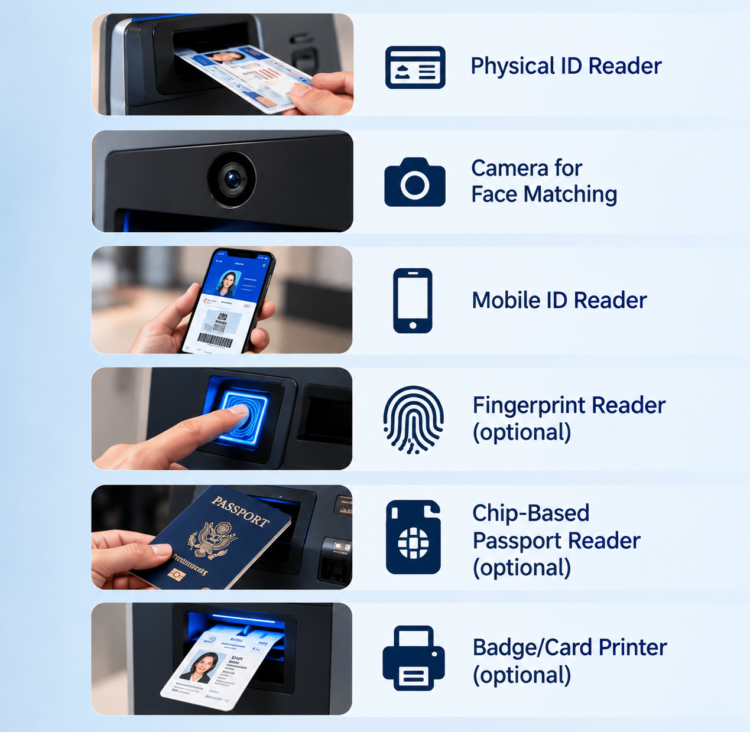
Quick answer: An ID verification kiosk combines a few key parts: a reader for physical IDs, a camera for face matching, and often a reader for mobile IDs, fingerprints or chip-based passports. It may also include a printer for badges or cards. Which parts you need depends on what IDs people will bring, how strict the identity check needs to be, and what they walk away with. These parts are built into the kiosk, and they shape both how it looks and how comfortable it is to use. That’s why they need to be decided before production starts.
Key takeaways
• Start with the IDs your users will bring, then pick the readers to match.
• The camera and lighting matter as much as the software for face matching.
• Mobile driver’s licenses need their own reader hardware. Decide now whether you’ll support them.
• Plan output devices, like badge or card printers, around what the user leaves with.
• Privacy, security and accessibility are built into the enclosure, not added later.
Why does the parts list matter so much for ID kiosks?
The parts list matters because an identity kiosk can only check the IDs it has a reader for. An ordering kiosk can usually get by with a screen and a payment terminal. An ID kiosk has to read documents, capture faces and sometimes collect fingerprints and other information, and each of those needs its own hardware.
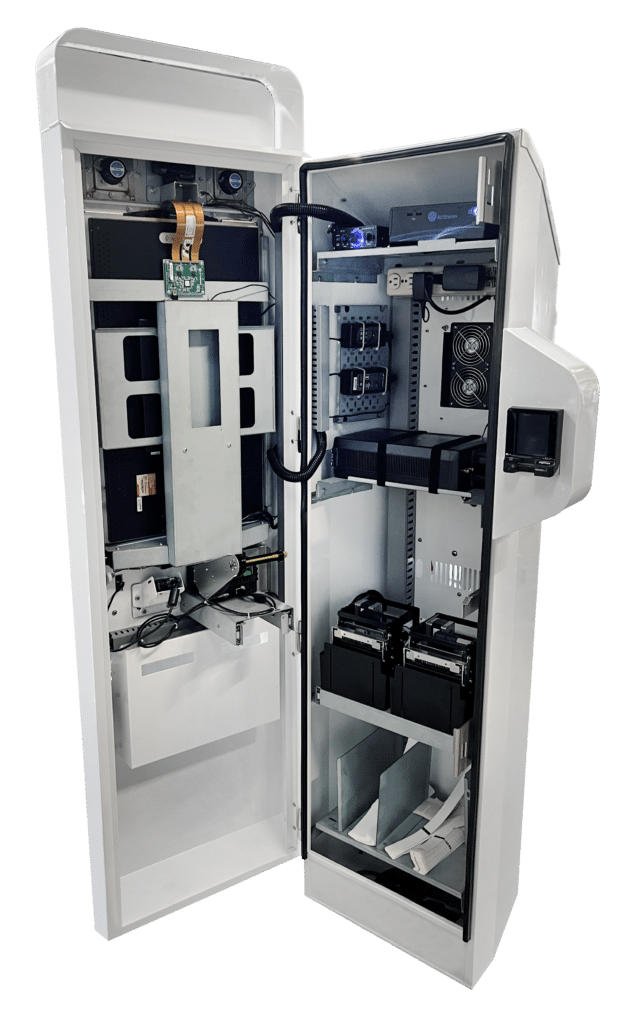
That hardware is built into the enclosure. The camera position, the scanner slot and the reader mounts are all designed in. If you find out after launch that you need an extra reader, adding it can mean a new enclosure design, new testing and a delayed rollout.
To pick the right parts, answer three questions first:
• What will people bring? Driver’s licenses, passports, mobile IDs, employee badges or something else?
• How strict does the check need to be? A quick age check needs less than enrolling someone in a trusted program or opening a bank account.
• What do they leave with? A badge, a card, a receipt, a confirmation on their phone, or nothing at all?
What kind of document reader does an ID kiosk need?
Most ID verification kiosks need a reader that can image the ID, read its barcode, and in some cases read the chip inside it. Which of these you need depends on the documents people will bring and how much checking you need to do.
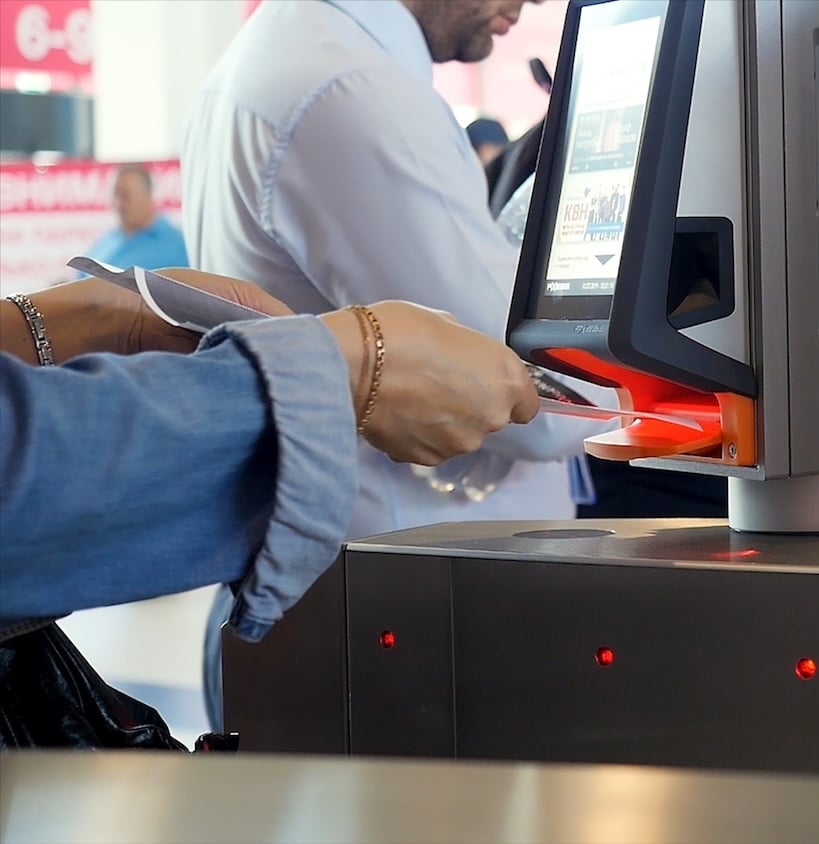
• Full-page document scanner. Captures the front and back of an ID or a passport page. Better scanners use white, infrared and ultraviolet light to check security features that a photocopy or fake won’t have.
• Barcode reader. U.S. driver’s licenses carry a barcode on the back with the holder’s details. Reading it is quick, and it can be compared against the front of the card to catch mismatches.
• Chip reader (NFC). E-passports and many newer national IDs have a contactless chip. Reading the chip gives you data and a photo that are digitally signed, which is much harder to fake than a printed card.
Tip: If people will bring passports, make sure the scanner bed is large enough for an open passport, not just a card.
Should your kiosk read mobile driver’s licenses?
If your kiosk will be in service for several years, you should at least plan for mobile driver’s licenses (mDLs). They are a digital version of a state ID stored in a phone’s wallet, and support for them is growing quickly.
Support for mDLs grew a lot this fall. In September 2026, federal bank regulators said banks can accept mDLs as photo ID. That same month, the federal Login.gov site began accepting them too. As of March 2026, 20 states and one territory offered mDLs.
An mDL can’t be checked by looking at a phone screen. It needs a reader that follows the ISO/IEC 18013-5 standard. The phone and the reader usually connect by tapping (NFC) or scanning a QR code, then exchange data over a short-range wireless link. The reader checks a digital signature to confirm the ID is real and hasn’t been changed.
There’s also a privacy benefit. The person chooses which details to share, so a kiosk checking age can ask only whether someone is over 21, not for their full address.
Tip: Even if you won’t accept mDLs on day one, ask your manufacturer whether the kiosk can be designed with room for a reader later.
What makes a good camera setup for face matching?
A good setup for face matching needs three things: a quality camera, even lighting, and a position that works for people of all heights. The software compares a live photo to the photo on the ID. A poor live photo leads to more failed matches and more frustrated users.
Things to plan for:
• Camera height and angle. The camera has to capture someone standing, someone short and someone in a wheelchair. A wide field of view or an adjustable or multiple-camera setup can help.
• Lighting. Built-in lighting that evenly lights the face helps a lot. Windows and bright lights behind the user create shadows and glare, so check this during your site surveys.
• Liveness detection. The kiosk needs to confirm a real person is standing there, not a photo, mask or video on a screen. Some cameras add depth or infrared sensing to help with this.
A kiosk also has a security advantage here. A growing type of fraud, called an injection attack, feeds fake or AI-generated video into a verification app instead of using the real camera. Entrust’s 2026 fraud report found these attacks rose 40% in a year. These attacks are much harder when the organization owns and locks down the camera and the software, as it does with a kiosk. A kiosk still needs good liveness detection, but it removes one of the easiest ways in.
Does an ID kiosk need a fingerprint reader?
An ID kiosk needs a fingerprint reader only if your process calls for fingerprints. Most retail and hospitality kiosks don’t. Enrollment programs often do, such as background checks, trusted traveler programs and some government services.
If you need one, ask these questions:
• Where do the prints go? Prints sent for some government background checks may need a scanner certified for that use. Ask the agency or program you work with what they require.
• How many fingers? Some programs need one finger. Others need four fingers at once, which takes a larger scanner.
• How will it stay clean? A fingerprint reader is touched by every user. Plan for regular cleaning, and choose a model that handles dry or worn fingers well.
Some kiosks also use other biometrics, like iris scans. These are less common, but the same rule applies. Decide early, because each one could change the enclosure.
What should the kiosk give people when they’re done?
The kiosk should give people whatever they need for the next step. That might be a badge, a card, a receipt or just a message on the screen. Plan this early, because printers take up a lot of space inside a kiosk.
Common options:
• Badge or label printer. Used for visitor check-in at offices, schools and hospitals. It prints a name tag, often with a photo.
• Card printer. Used when enrollment ends with a membership card, an access card or a player’s card. Card printers are larger and need ribbons and blank cards restocked.
• Receipt printer. Prints a confirmation or a ticket number. It’s small and simple but needs paper restocked.
• Digital confirmation. A text or email can replace paper. This saves space but needs the user’s phone number or email address.
Tip: Every printer adds supplies to restock. Be sure to account for that in your support plan.
How do you build privacy, security and accessibility into an ID verification kiosk?
You build them into the kiosk’s physical design, not add them later. People share their most personal information at an ID kiosk. They need to feel safe doing it, and everyone needs to be able to use it.
Privacy
• Use a privacy filter on the screen so people nearby can’t read it.
• Shape the enclosure so the user’s ID and face aren’t on display to the line behind them.
• Show a short notice explaining what is collected and why.
Security
• Lock the cabinet so no one can reach the computer, cables or ports inside.
• Mount readers and cameras so they can’t be swapped or tampered with.
• Add a sensor that alerts staff if the cabinet is opened.
Accessibility
• Keep the screen, readers and controls within reach of someone in a wheelchair. In the U.S., ADA guidelines set reach ranges for many kiosk placements.
• Add audio guidance and a headphone jack for people with low vision.
Give people a way to get help from staff if they run into an issue and can’t finish their activity on their • own.
Identity verification kiosk spec checklist
What people bring
• List of IDs to accept (driver’s licenses, passports, mobile IDs, badges)
• Document scanner sized for those IDs
• Barcode reader for driver’s licenses
• Chip reader for e-passports, if needed
• mDL reader now, or space to add one later
Who they are
• Camera placed for standing and seated users
• Even lighting on the user’s face
• Liveness detection confirmed with your software provider
• Fingerprint or other biometric reader, if your program requires it
What they leave with
• Badge, card or receipt printer chosen
• Supply restocking plan in place
Built into the enclosure
• Screen privacy filter
• Locked cabinet and tamper alerts
• Wheelchair reach and audio guidance
• One person named to approve the final specs
Frequently asked questions
What is an ID verification kiosk?
An ID verification kiosk is a self-service station that checks a person’s ID and confirms they are the person on it. It usually reads an ID and compares a live photo of the person to the ID photo.
What’s the difference between an enrollment kiosk and an ID verification kiosk?
An ID verification kiosk checks who someone is. An enrollment kiosk does that and also signs them up for something, like a program, an account or a membership. Enrollment kiosks often need more parts, such as fingerprint readers or card printers.
Can a kiosk read a mobile driver’s license?
Yes, if it has an mDL reader that follows the ISO/IEC 18013-5 standard. A regular camera or document scanner can’t verify a mobile ID.
Is a kiosk more secure than verifying ID on a phone?
In one important way, yes. The organization controls the kiosk’s camera and software, which makes it harder to feed in fake or AI-generated video. A kiosk still needs good liveness detection.
Can parts be added to a kiosk after it’s built?
Sometimes, but it’s costly to perform design upgrades and then field upgrades. Readers and cameras are designed into the enclosure. Deciding early, or planning space for future parts, avoids redesigns.
The bottom line
An ID verification kiosk is only as good as the parts inside it. Start with the IDs people will bring and what they need to leave with, then choose the readers, camera and printers to match. Make those decisions before production, and your kiosk will be ready for the IDs people carry today and the ones coming next.
Planning an identity verification or enrollment kiosk? Click here to talk with us about your project today.