Buying one kiosk is easy. Buying fifty is a different problem entirely.
When you’re planning a large deployment, say, 50 or more units across multiple locations, the questions that matter most are almost never the ones on a spec sheet. The real costs show up later: in a software integration that stalls for months, in a support gap no one takes ownership of, or in hardware that can’t be serviced because parts are no longer available.
This guide is for the IT directors, operations leaders, and procurement teams who are making that bigger decision. It covers the questions worth asking before you sign a contract and why the answers matter more than the brochure.
The first big decision: who owns the software?
Before you look at a single kiosk enclosure, you need to settle one question: are you buying hardware and software from one vendor, or are you sourcing them separately?
Some kiosk companies offer an all-in-one solution. Their hardware runs their software platform. Others, like many of the more established hardware manufacturers, build and sell the enclosures, peripherals, and industrial components, while leaving software selection to you or your systems integrator.
Both are legitimate approaches, but they carry very different risk profiles. Integrated solutions give you single-vendor accountability and a faster path to deployment. Pure hardware vendors give you maximum flexibility in software selection, but require you to source software separately and own the integration project yourself.
Neither model is always better. If your use case is fairly standard, for example, a check-in workflow that mirrors what dozens of other organizations run, an integrated vendor may get you to go-live faster. But if you’re deploying into a complex environment, perhaps an EHR system in a health network, an identity management platform in a government agency, or a custom loyalty platform in a hospitality chain, you probably need the flexibility to choose the software that fits your existing systems.
If you’re working with a hardware-only vendor, the software question doesn’t go away — it just becomes yours to manage. The right question to ask that vendor isn’t “does your hardware work with software?” It’s: What software platforms have you actually deployed with, and can we talk to those customers?
Ask for documented examples of integrations they’ve supported. Ask what their team does and doesn’t do, when a software integration hits a problem. A vendor who has been through complex integrations before will answer that question specifically. One who hasn’t will speak in generalities.
Hardware lifecycle: the cost that doesn’t show up in the RFP
Most enterprise kiosk deployments are expected to last five to seven years. That’s a long time in technology. The question isn’t just what the hardware costs to buy, it’s what it costs to own.
The cheapest kiosk is often the one you don’t have to replace. That’s not a slogan. It’s a procurement principle. A unit that costs 20% less up front but requires full replacement in four years because a key component was discontinued is more expensive over the life of the deployment.
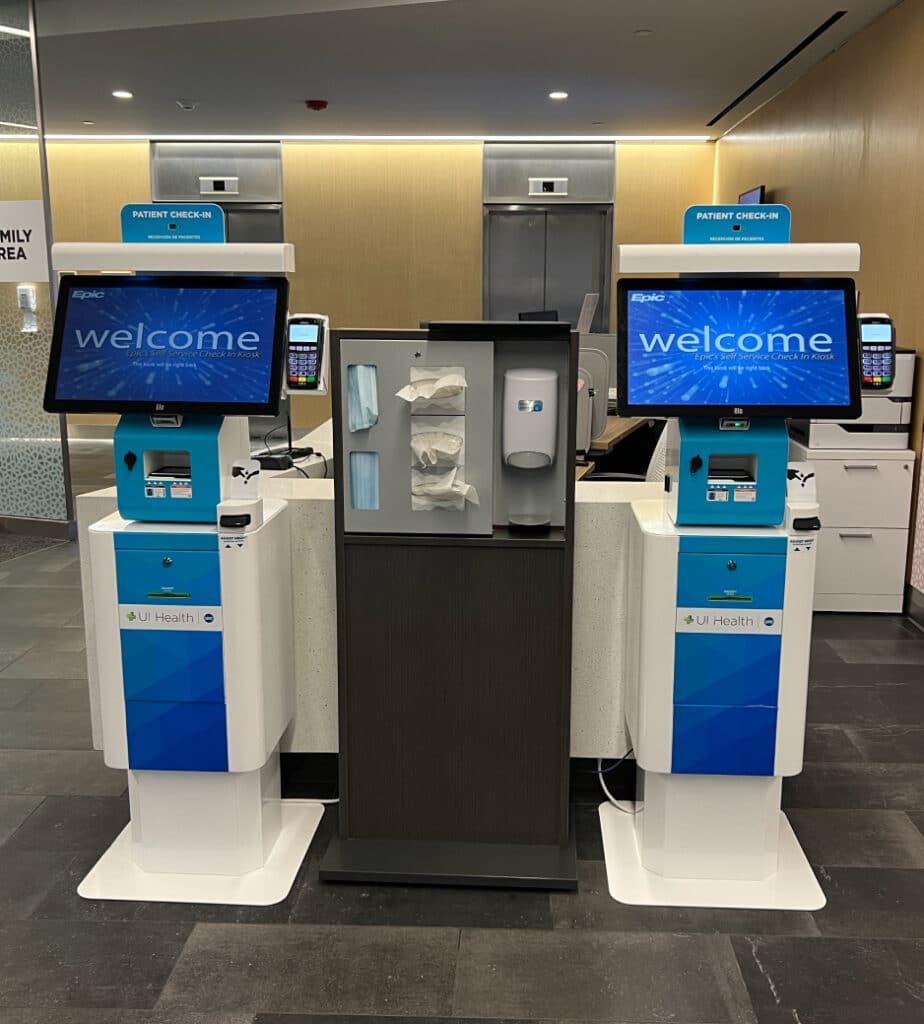
Where hardware breaks down over time:
Printers, payment devices, scanners, and cameras are among the highest failure and churn components in kiosk systems. These are also the components most likely to need upgrades as standards change especially with new payment security mandates, updated accessibility requirements, or new biometric capabilities.
A kiosk built as a modular system — where individual components can be swapped without replacing the full enclosure — has a very different lifecycle cost from one that requires you to throw out the whole unit when one peripheral is outdated. When you’re evaluating hardware, ask how component replacement actually works in the field. Don’t accept “it’s modular” as an answer, ask for documentation and a real example.
Manufacturing and supply chain:
Where the hardware is made matters. A vendor with in-house U.S. manufacturing controls its own supply chain, lead times, and quality standards. A vendor that assembles from offshore OEM components is more exposed to disruption with longer lead times, harder-to-source replacement parts, and less ability to make engineering changes mid-deployment.
This became obvious during the supply chain disruptions of the early 2020s, and it hasn’t fully resolved. Ask your vendor directly: where is this hardware manufactured, and who controls the supply chain for the key components?
End-of-life planning:
Ask every vendor what happens when they discontinue a product line. How much notice do customers get? Is there a migration path? What does a hardware refresh actually cost, not just the unit price, but the logistics of replacing units across a multi-location deployment?
A vendor who has managed enterprise deployments through product transitions will have clear answers to these questions. One who hasn’t will struggle.
Accessibility: a legal requirement, not a feature toggle
For buyers in healthcare, government, education, and financial services, accessibility compliance isn’t optional. Under Section 508 of the Rehabilitation Act, federal agencies must give people with disabilities access to information and services that is comparable to what’s available to everyone else, and this applies to kiosks and self-service terminals.
While some regulations apply specifically to federal agencies, private companies are subject to ADA requirements as well. Organizations bound by these laws will consistently require proof of product accessibility from vendors as part of the RFP process.
What genuine accessibility looks like in hardware:
There’s a difference between a kiosk designed for accessibility and one that technically passes a checklist. True accessibility-first hardware design means:
- Screen height and reach ranges that work for both standing and seated users, including wheelchair users
- Audio output and tactile guidance built into the enclosure itself, not configured through a software menu
- Peripheral placement (card readers, receipt printers, PIN pads) at heights that don’t require someone with limited mobility to reach awkwardly
- Screen brightness and contrast that perform well for users with visual impairments, not just average users
When evaluating vendors, ask them to walk you through how their hardware design addresses accessibility.
The software integration question — asked the right way
Enterprise kiosk hardware doesn’t run in isolation. It connects to EHR systems, identity management platforms, payment processors, loyalty databases, access control systems, and more. Self-service kiosks succeed or fail based on the software layer that governs user experience, uptime, security, integration, and lifecycle control and the integration surface is where most enterprise deployments get into trouble.
Your hardware vendor may not write software and that’s fine. But they should have real experience with the integrations that matter in your environment. There’s a meaningful difference between a vendor who says “our hardware supports any Windows-based software” and one who can say “we’ve deployed with Epic, here’s who to call, and here’s what the integration actually required.”
Ask these questions specifically:
- What software platforms have you deployed with in environments like ours?
- When a peripheral like a scanner, a payment terminal, a camera doesn’t behave the way the software expects, who resolves that? What’s your role in that process?
- Can you connect us with a customer who ran a complex integration with your hardware and ask them about the experience?
A hardware vendor who has been through hard integrations before will engage with these questions confidently. One who hasn’t will redirect to capabilities that aren’t relevant to your question.
Support after go-live: where most deployments succeed or fail
The sales process focuses on what the hardware can do. The real relationship starts the day your kiosks go live.
High device uptime ensures no loss of revenue, or in healthcare and government, no loss of service, from non-operational terminals. Remote troubleshooting and lifecycle management directly reduce operational costs by eliminating the need for expensive technician dispatches.
Before you sign a contract, get clear answers to these questions:
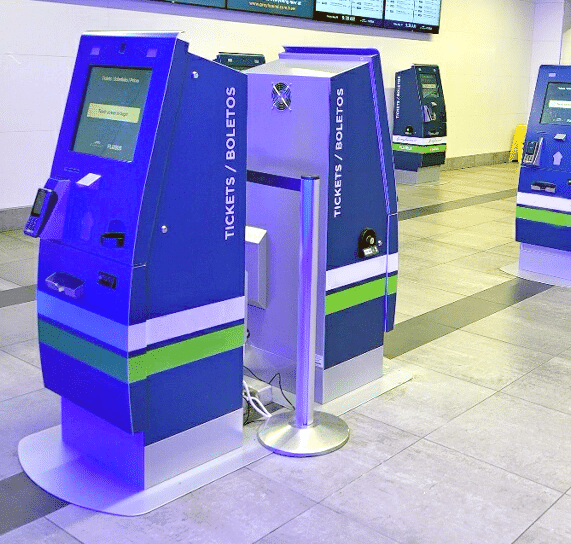
Field service coverage: What is the service level agreement for on-site repair response? Is that SLA the same for all your deployment locations, including smaller markets, rural hospitals, or secondary government offices? Who actually performs the service, the vendor’s own technicians, or a third-party network? If it’s third-party, how does the vendor ensure quality?
Remote monitoring: Can the vendor detect when a unit goes offline or a peripheral fails before a user reports it? Is remote monitoring included in the base contract, or is it a separate cost?
Parts availability: What is the lead time for replacement parts and units? For a 100-unit deployment, what happens if 10 units need the same part at the same time?
One of the most useful things you can do in a vendor evaluation is ask for a reference from a deployment that ran into significant problems, not just a successful one. Ask how the vendor found out about the problem, who made the call, and how long it took to resolve. The answer is more revealing than any case study.
Customization: knowing what the word really means
Most vendors describe their products as “customizable.” That word can mean very different things.
Configurable usually means you can change colors, logos, and screen layout within a fixed template. This is fine for standard use cases.
Custom means the hardware itself, enclosure dimensions, peripheral placement, materials, structural design, can be engineered to your specific environment.
This matters in regulated or high-traffic environments where standard hardware may not hold up. A healthcare system that needs antimicrobial surface materials, a government installation that needs specific physical security features, or a transportation hub where standard components will fail under heavy daily use are all environments where these buyers need genuine hardware customization, not configuration options.
When a vendor says “customizable,” ask: does that mean the enclosure design, or the software interface? What is the lead time and minimum volume for a custom enclosure? Do you have in-house industrial design capability, or does customization go through a third party?
Questions worth adding to your RFP
Most kiosk RFPs focus on specs: screen size, processor, operating temperature range. These are necessary but not sufficient. Here are the questions that tend to separate good enterprise vendors from the rest:
- Where is this hardware manufactured, and who controls the supply chain for the key components?
- Walk us through how your hardware design addresses ADA accessibility — specifically the physical design, not software settings.
- Describe a deployment that ran into significant problems. What happened and how did you respond?
- What is your documented end-of-life policy for this product line? What notice do customers receive?
- What software platforms and systems integrators have you worked with in environments like ours? Can we speak to those customers?
- What is your typical on-site service response time across deployment locations outside major metro areas?
- How does your hardware accommodate peripheral upgrades. For example, how do you handle a new payment terminal or biometric reader, without replacing the full enclosure?
- Who holds accountability when a hardware-software integration issue arises? What is your role in resolving it?
The real cost of a bad vendor decision
Enterprise kiosk procurement that focuses primarily on per-unit price tends to optimize for the wrong variable. The real cost of a vendor mismatch shows up in the integration project that runs months over schedule, in the support gap that no one owns when a unit goes down at 7am at a remote location, and in the hardware refresh that arrives years earlier than planned because a key component was discontinued without notice.
Most large-scale kiosk failures are not caused by insufficient hardware specs. They are caused by lifecycle blind spots and decisions made early that quietly undermine long-term operational stability. The vendors worth shortlisting are the ones who answer hard questions with specifics: documented integrations, real service response data, honest end-of-life policies, and references from deployments that had problems, not just the ones that went smoothly.